Select theme:
- Material 3
- Material 3 Dark
- Fluent
- Fluent Dark
- Material
- Material Dark
- Standard
- Standard Dark
- Default
- Dark
- Humanistic
- Humanistic Dark
- Software
- Software Dark
Radzen Blazor Studio: Visual Blazor App Builder
Radzen Blazor Studio is a visual development environment for building Blazor web applications. It features a WYSIWYG designer, CRUD scaffolding from databases (MSSQL, MySQL, PostgreSQL, Oracle, SQLite), 100+ UI components, premium themes, and one-click deployment to Azure and IIS.
Unlock the Full Potential of Your Data
Experience the power of data integration.
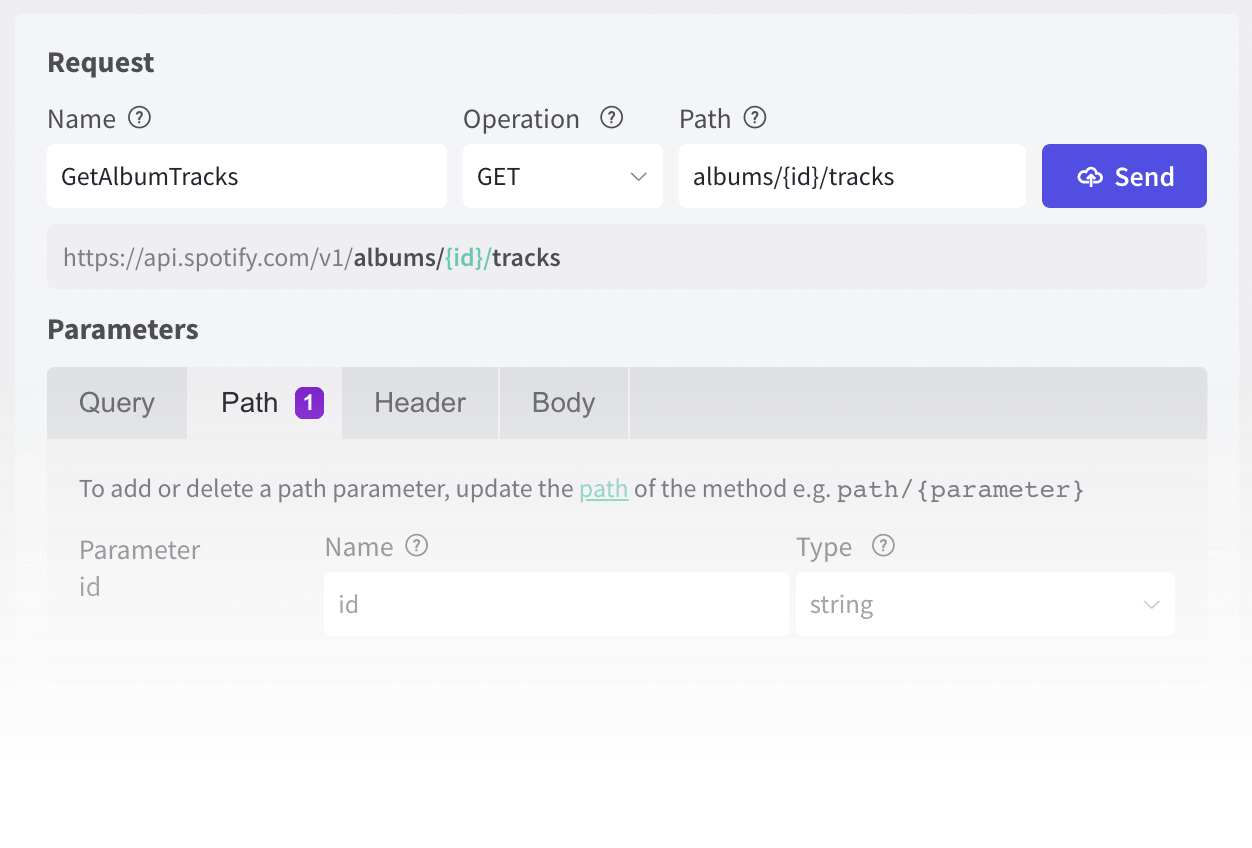
Connect to Anything With an API
Want to work with REST services? Radzen Blazor Studio integrates with REST APIs, giving you the flexibility to incorporate external data sources effortlessly into your applications.
Data Scaffolding
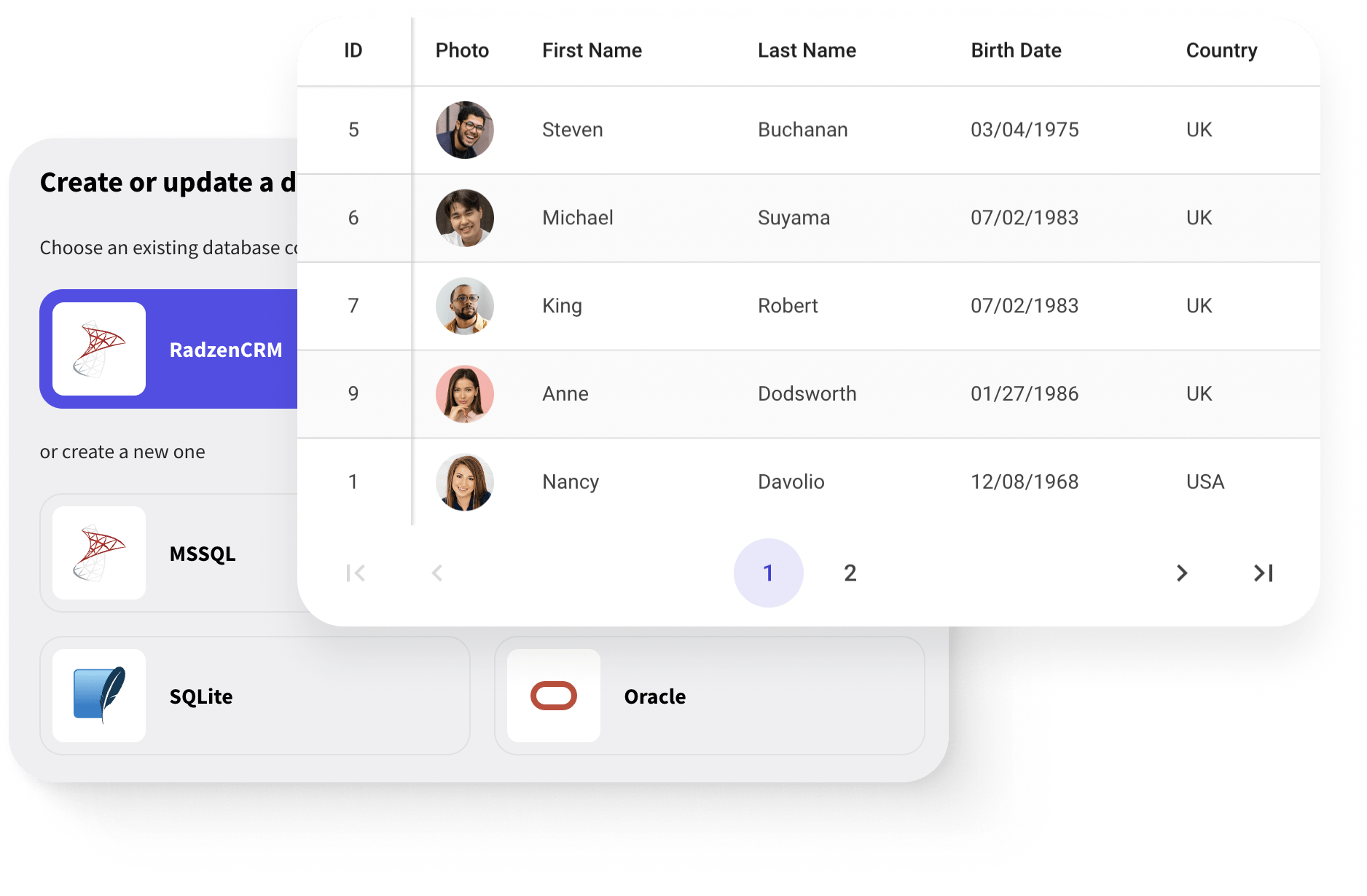
Quickly connect to your database - MSSQL, MySQL, SQLite, Oracle or PostgreSQL.
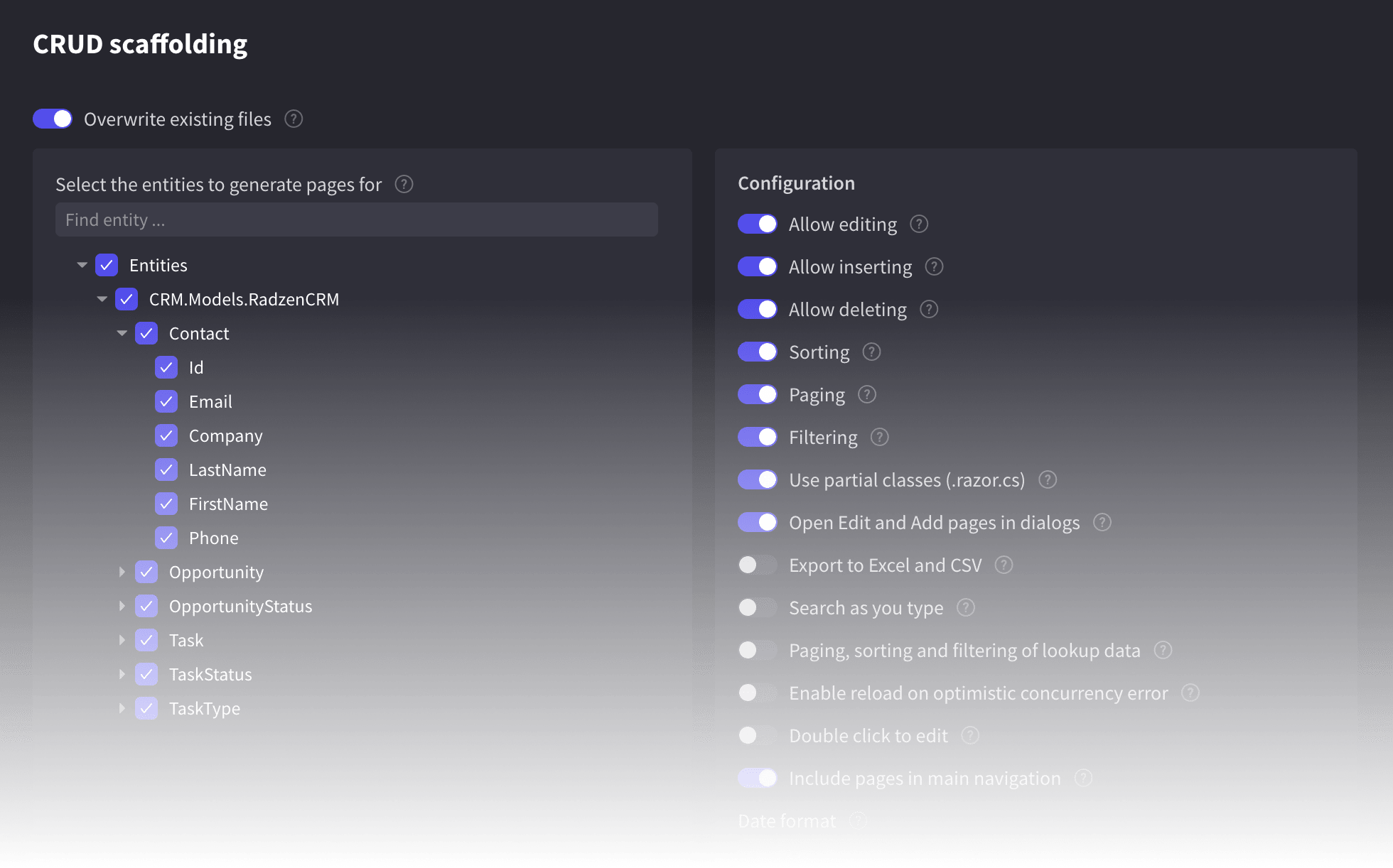
Radzen Blazor Studio simplifies common procedures related to database data. Whether it's querying, updating, or managing data, Radzen Blazor Studio provides a straightforward approach that doesn't require you to dive deep into C# intricacies.
“
Radzen allows users to visualize data from many sources easily without hard-core programming.
— Ken Draper, Software Specialist at NIAD Systems Inc.
Unleash Your Creativity
Deliver visually stunning and consistent user interfaces.
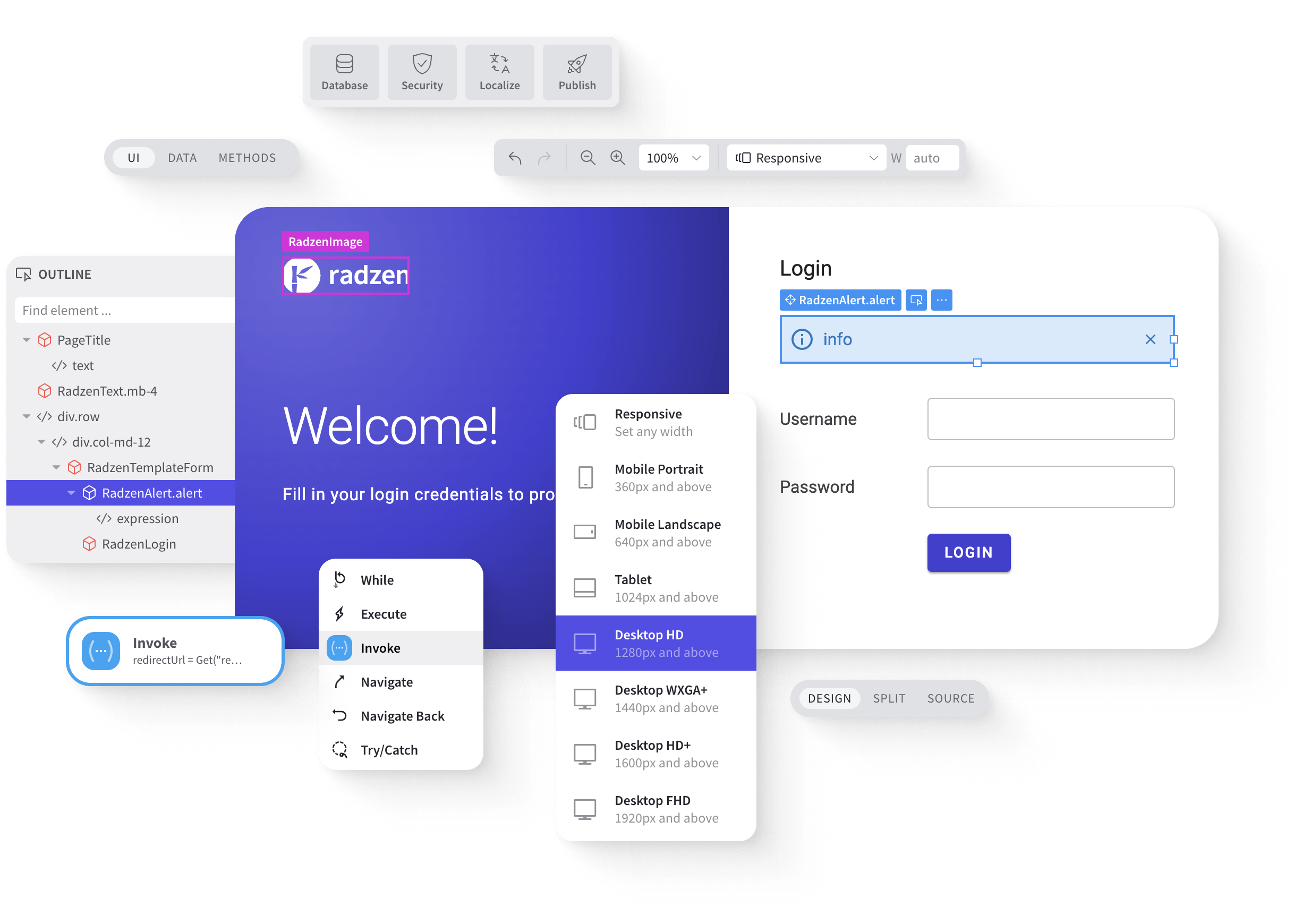
WYSIWYG, Code Less Approach
Visually edit pages and layouts by setting properties and adding new items or deleting existing ones. You have full control over application screens.
Intuitive drag and drop
Rich UI toolbox
Components’ inspector
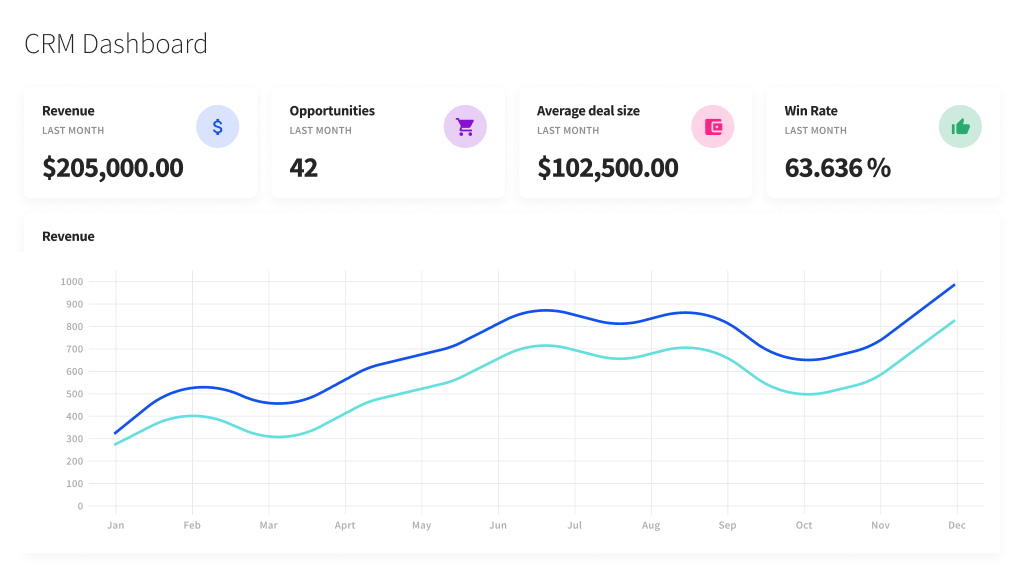
Leading Blazor UI Components
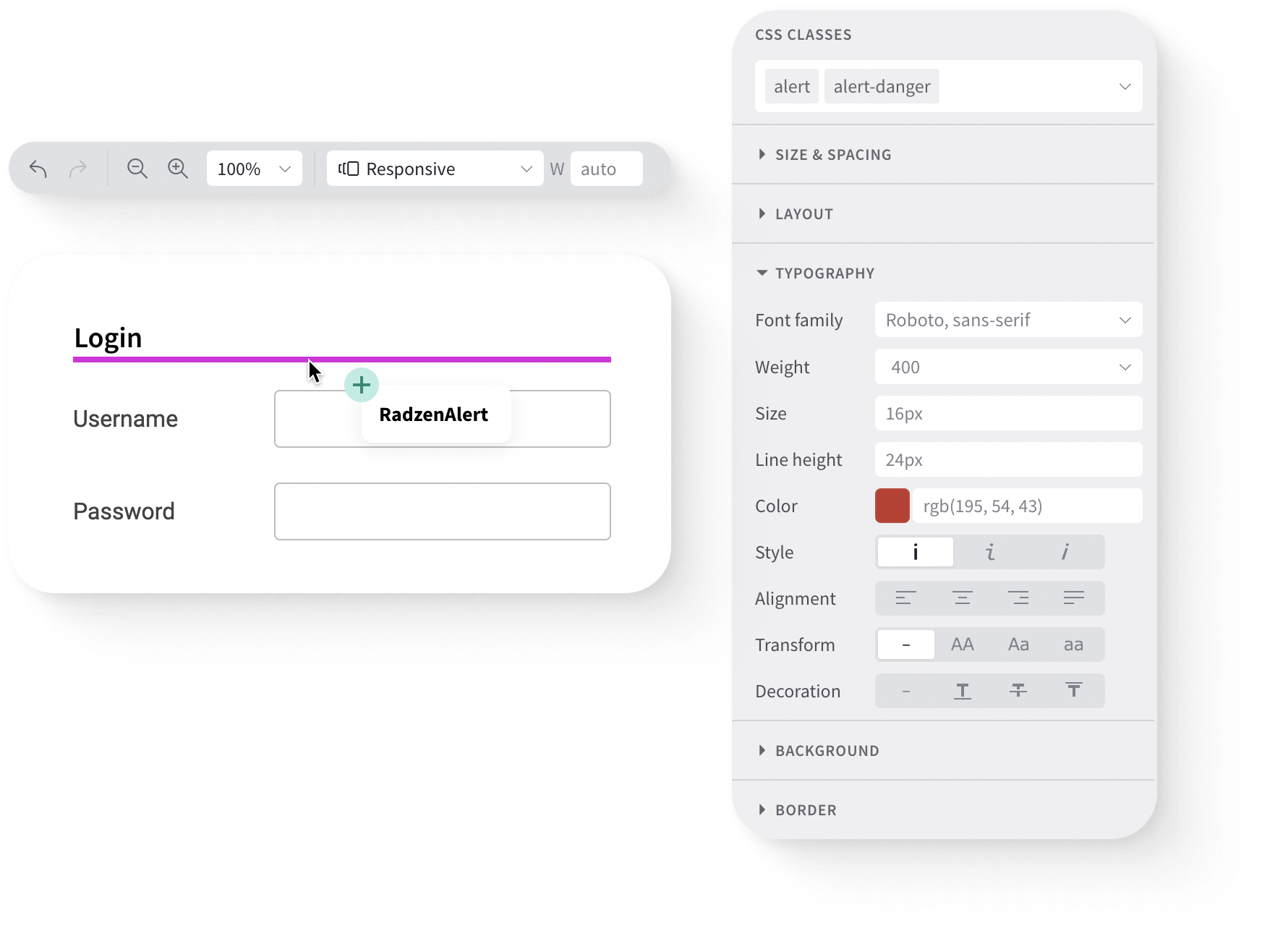
A set of 100+ components - open source and free for commercial use. The components are implemented in C# and take full advantage of the Blazor framework.

Advanced Theming
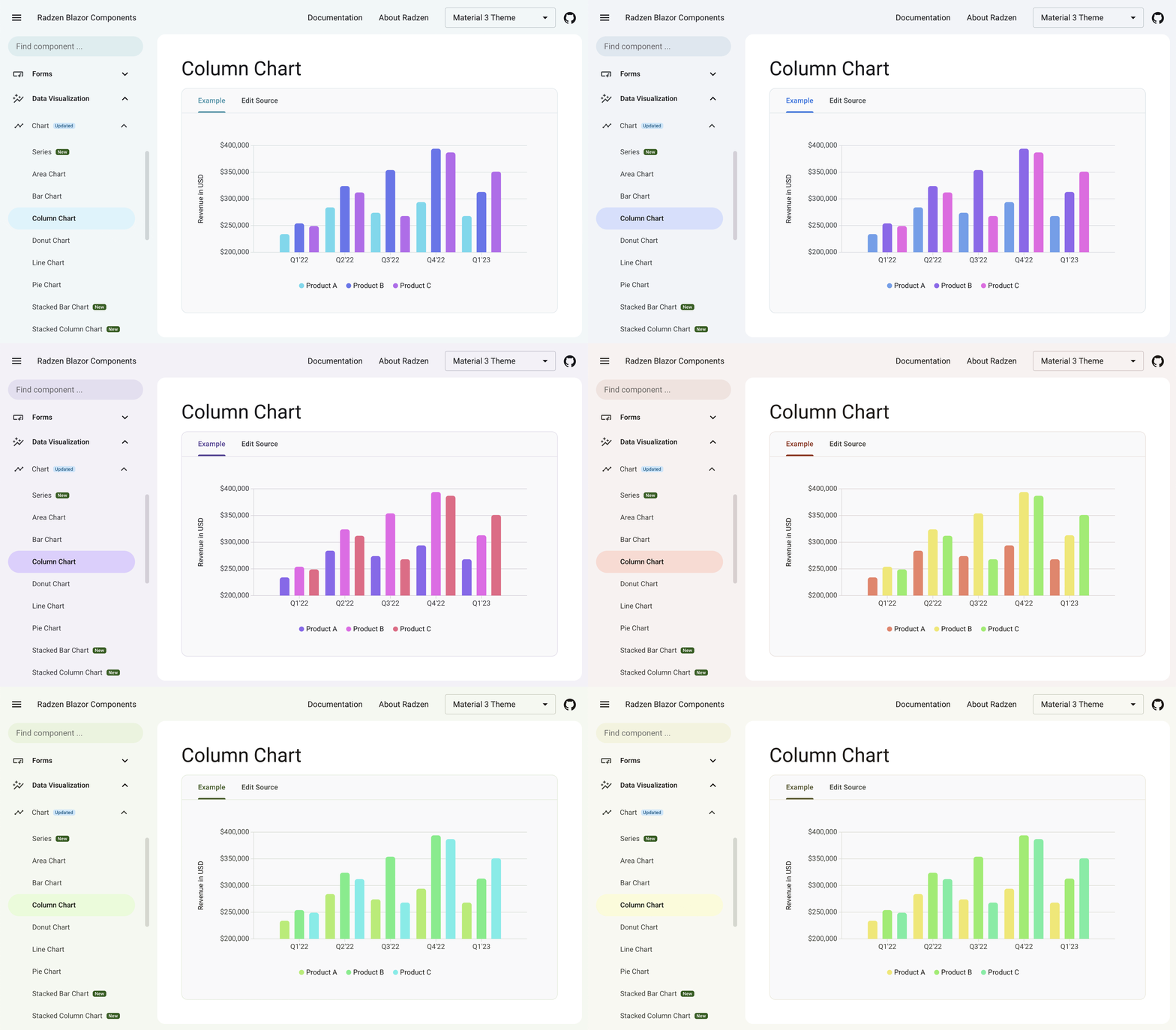
With Radzen Blazor Studio you can either customize components’ look & feel globally or simply tweak individual component instances where necessary.
Themes
Global styles are applied across the entire application, and are typically defined in a theme.
Radzen Blazor Studio features sets of free and premium themes including Material 3 and Fluent UI.
Swatches
Swatches are a premium feature of Radzen Blazor Studio. Each theme contains a collection of predefined color swatches to pick from, including WCAG 2.2 AA compliant and High Contrast ones.
Mobile-ready
Build amazing applications for any device by taking advantage of the fully-responsive layout capabilities.
Progressive Web App (PWA) support comes out of the box.

Developers Love Radzen
Radzen Blazor Studio provides tons of productivity gains for Blazor developers.
Open technology stack
Radzen Blazor Studio is powered by popular open source technologies - ASP.NET Core, Blazor, Bootstrap, TypeScript.
No vendor lock-in
The generated source code is human readable and you can build it with free tools.
Run your Radzen apps directly from Visual Studio Professional or Visual Studio Code.
Rich Toolbox
The toolbox lists all Blazor components in the opened application - both third party and built-in ones. It also includes commonly used HTML elements such as div, p, button et al.
Built-in Wizards and Templates
Use the built-in wizards and templates to facilitate common tasks such as data scaffolding and page creation.
Effective User Management
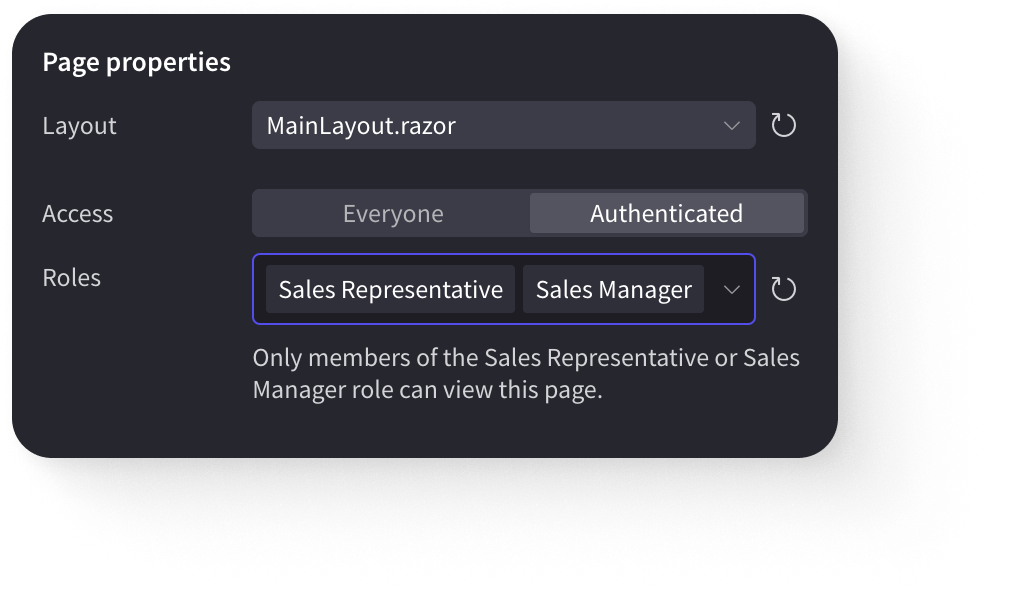
Allow your users to create accounts, roles, sign in with passwords or Active Directory. Make parts of your applications accessible only to certain users.
Create Accounts
Assign Roles
Set Passwords
ASP.NET Core Identity, Azure AD, Windows credentials
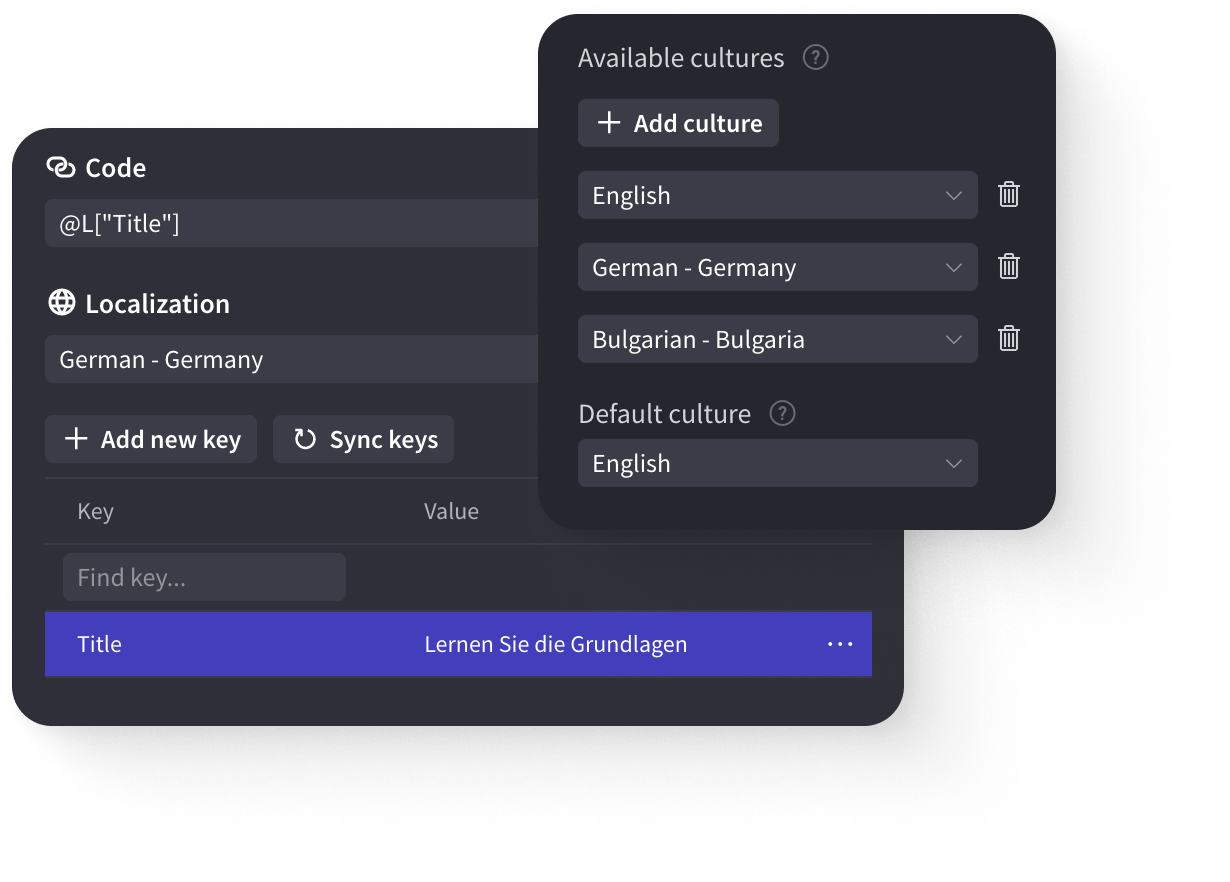
Internationalization
Provide localized version of your application by visually editing resource files (.resx). Radzen shows translated content when the language changes.
Built-in Data Export
Allow your users to export the data in the generated list pages.
Export to XLS
Export to CSV

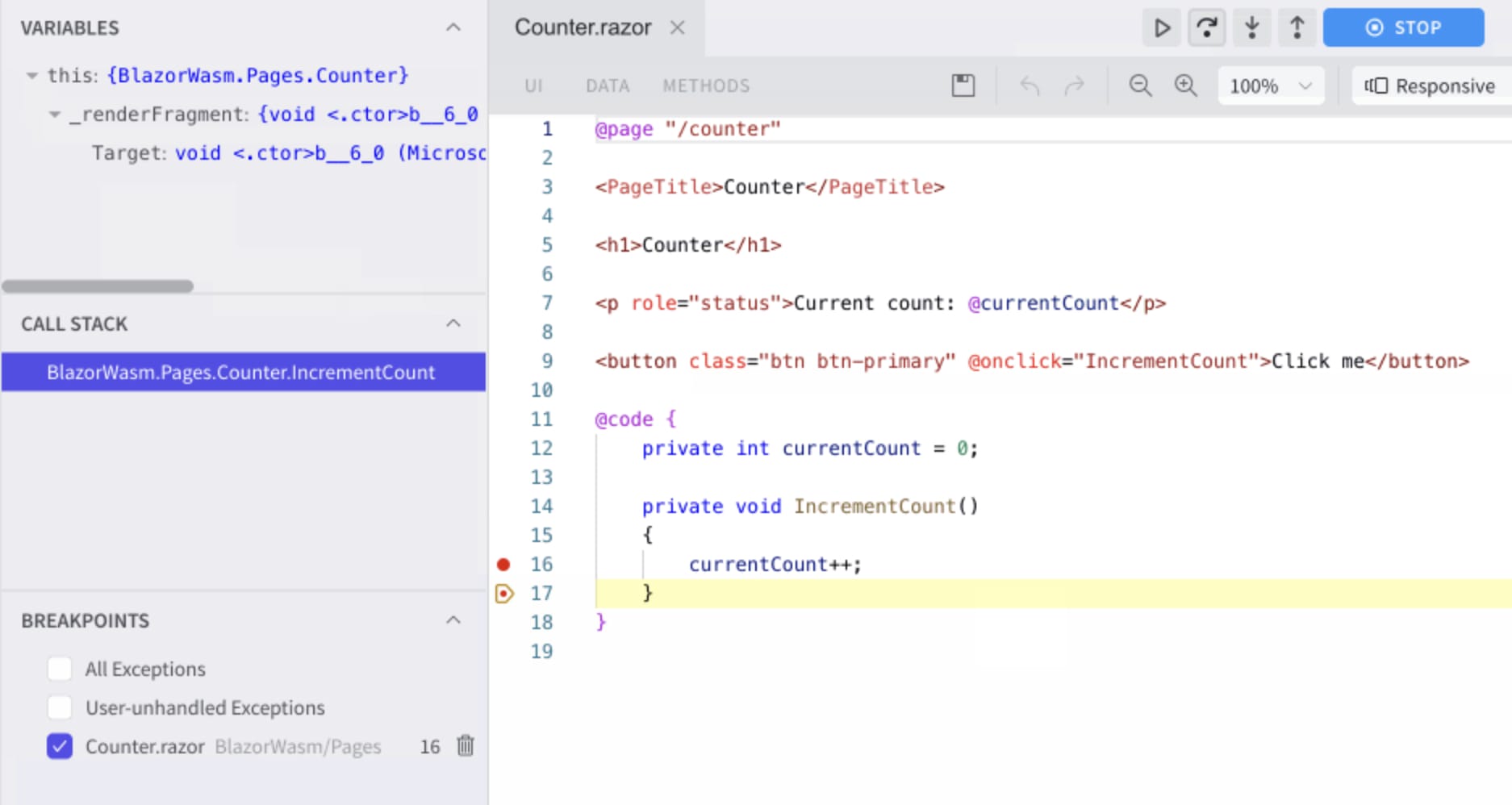
Debugging
Debugging allows you to see how your application behaves at runtime. You can step through your code and inspect the values of properties, fields and variables. You can also examine the execution path by stepping in and out of methods.
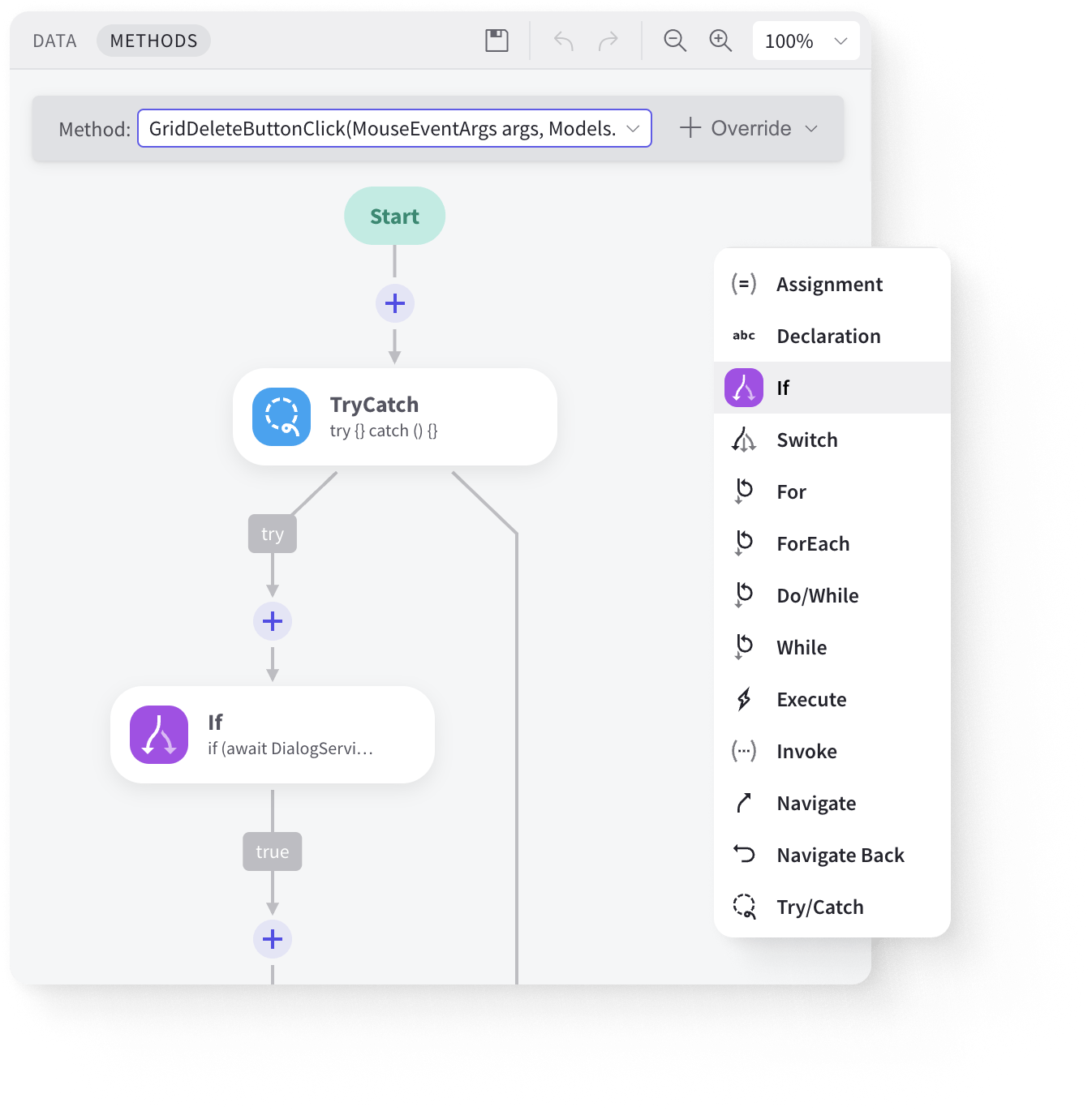
Rich Extensibility
You can manage methods and their statements of your Blazor components or C# classes via Radzen Blazor Studio’s Methods design mode.
Add custom business logic via the provided extension points.
Create custom UI components or use 3rd party ones.
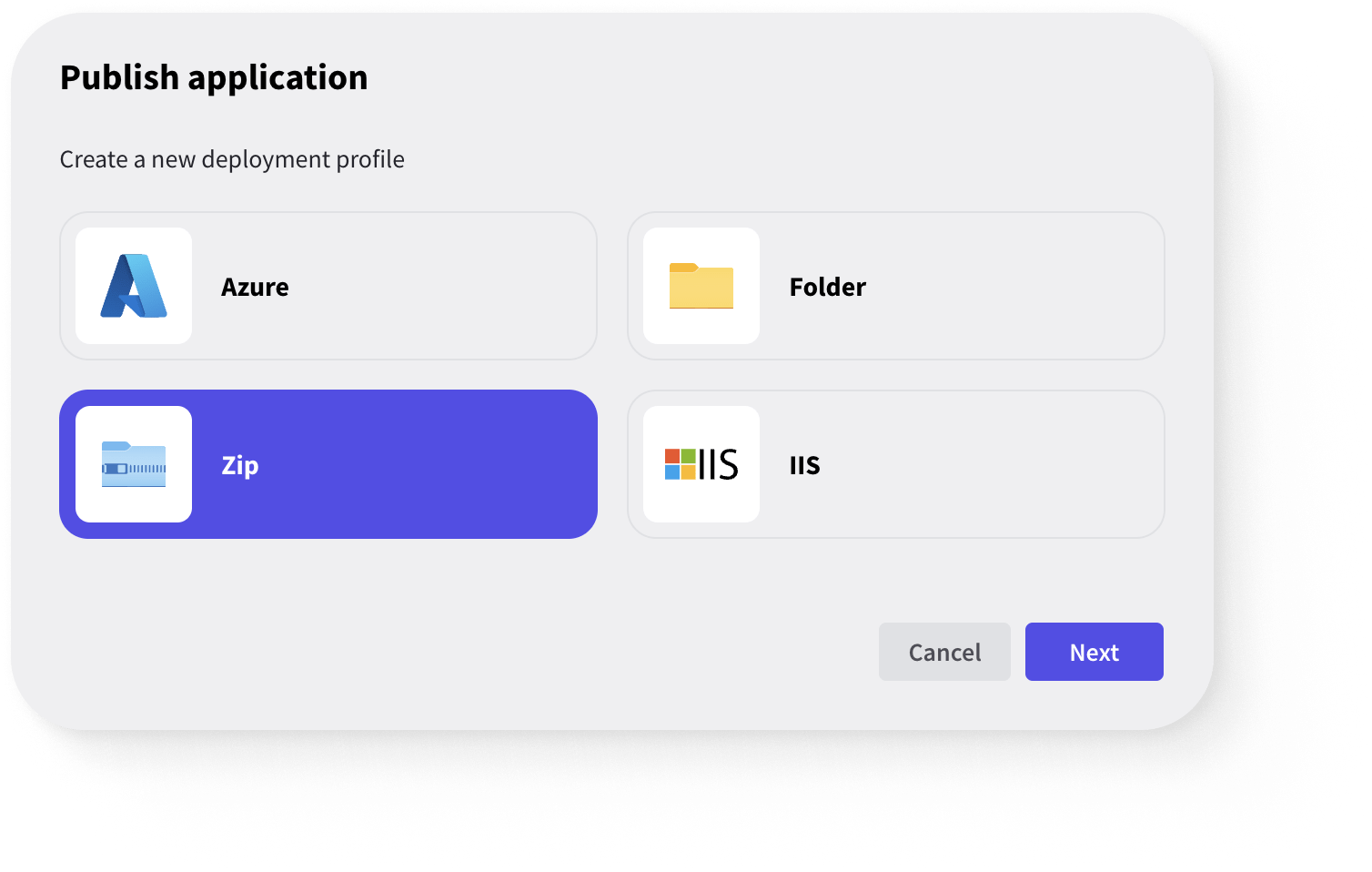
1-click Deploy
Quick deploy to IIS, Azure, and FTP.
Easy Deployment
Build your application for production and deploy it to IIS, Azure, and ZIP.
Deployed at your premises
No need to publicly expose your secure data sources.
No hidden runtime costs
Since Radzen apps are deployed at your premises, there are no hidden runtime costs.
“
Why Radzen? Speed of development, proven technologies and spectacular support and commitment from the Radzen team.
— Carlos Carminati, Solution Architect at Mine IT
Frequently Asked Questions
Got questions? We've got answers.
Radzen Blazor Studio is a visual development environment for building Blazor web applications. It features a WYSIWYG designer, CRUD scaffolding from databases, 100+ UI components, premium themes, and one-click deployment to Azure and IIS.
Radzen Blazor Studio runs on Windows, macOS, and Linux.
Yes. Radzen Blazor Studio integrates with REST APIs, OData services, and OpenAPI specifications, as well as databases including MSSQL, MySQL, PostgreSQL, Oracle, and SQLite.
Yes. Radzen Blazor Studio supports .NET 10 and the latest version of Blazor, including both Blazor Server and Blazor WebAssembly hosting models.
Solutions
Products
Recognition
Get started today
Radzen is free to use. You can also test the premium features for 15 days.
Start FreeDesigned and developed with ❤️ in Radzen Blazor Studio.
Select theme:
- Material 3
- Material 3 Dark
- Fluent
- Fluent Dark
- Material
- Material Dark
- Standard
- Standard Dark
- Default
- Dark
- Humanistic
- Humanistic Dark
- Software
- Software Dark